Yep, we may get a tiny thank-you (read: commission) when you buy through
links on Gadgetspotr — not enough for a yacht, but enough to keep the lights (and
servers) on.
Learn more
Ooops...!
You've got an alert.
7
Alternatives
0
Likes
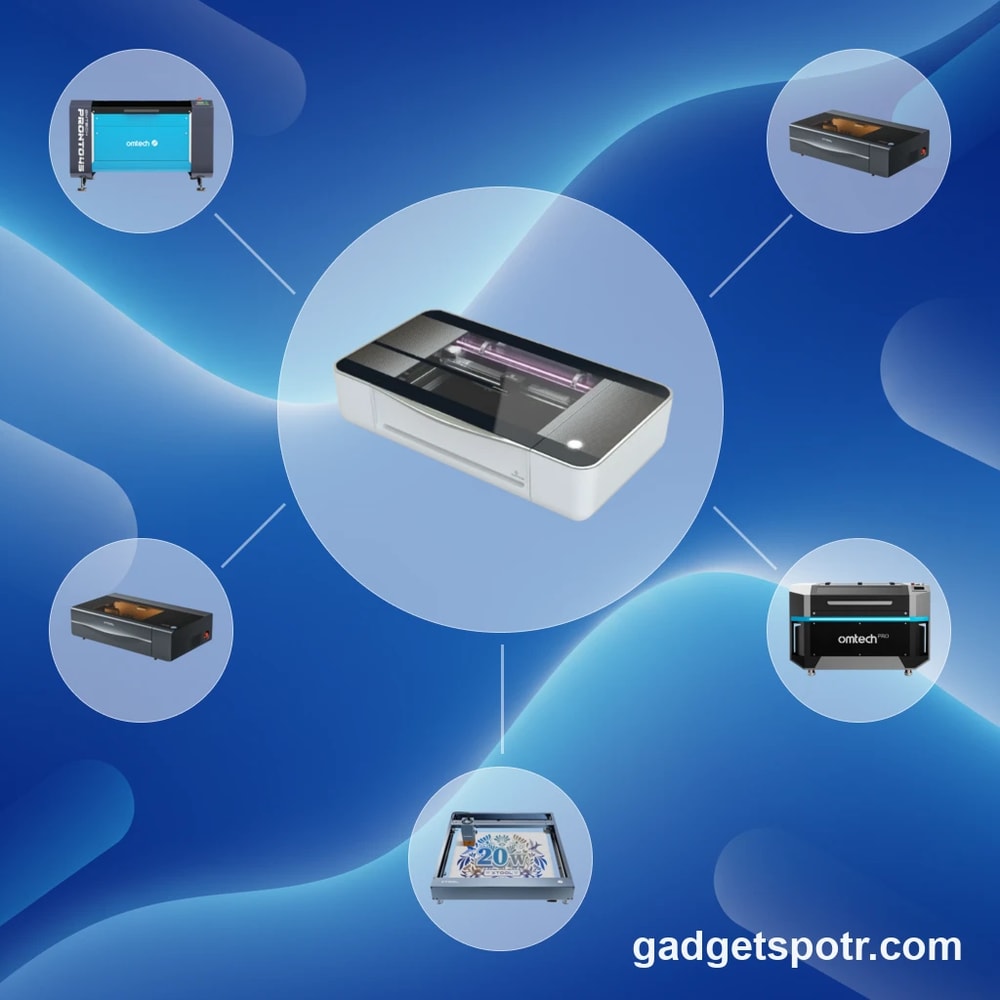
The 7 Alternatives to Glowforge Pro
:
Unlock More Than Passthrough with These Laser Cutters — 2026
Compare 45W Glowforge Pro specs to higher power, faster Laser Engraver & Cutter alternatives with offline control and larger work areas.
Explore Your Options
Alternative products worth considering.
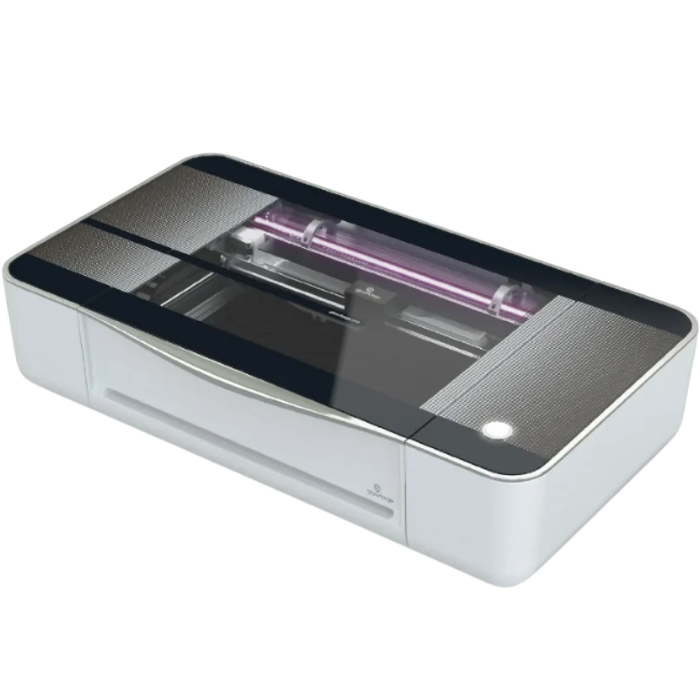
The Glowforge Pro is often a reference point for desktop laser work because it pairs a compact enclosed design with a CO2 tube rated at 45W, plus a passthrough slot for long materials. But when makers compare options, the questions tend to get practical fast: can you get more cutting headroom, more flexible software, or a lower total cost without giving up ease of use?
This guide, laser cutters similar to Glowforge Pro, is built for that kind of decision. Across the sources, the most common motivations are measurable and workflow-based, including stepping up from cloud-only operation to offline control, reducing recurring costs, and gaining capabilities like rotary support for tumblers. Others focus on throughput and capacity, such as moving from 45W to higher-power CO2 options like 50W and 55W, or comparing published engraving speeds up to 600 mm/s and larger bed sizes around 600 x 308 mm and 600 x 375 mm.
We also treat “capacity” as more than a single number. For example, Glowforge-related constraints cited in the sources include working height around 2 in (50 mm), noise around 70 dB, and the fact that some users weigh the passthrough convenience against the alignment effort on long pieces. On the alternative side, some machines emphasize larger work areas, deeper Z clearance, or accessory ecosystems, while others trade enclosure and filtration for lower upfront cost.
Rather than pushing a one-size-fits-all pick, we’ll compare alternatives by the specs and features that most directly change outcomes, including power output, work area, Z depth, passthrough behavior, rotary compatibility, ventilation and filtration, and software support such as LightBurn versus cloud-dependent workflows. If you want a clearer way to evaluate which laser fits your materials, space, and production pace, this walkthrough will help you narrow the field logically before you buy.
Alternative Options
Other products worth your attention.
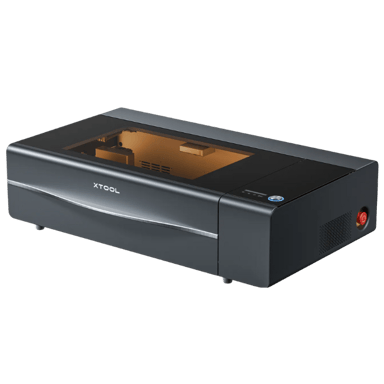
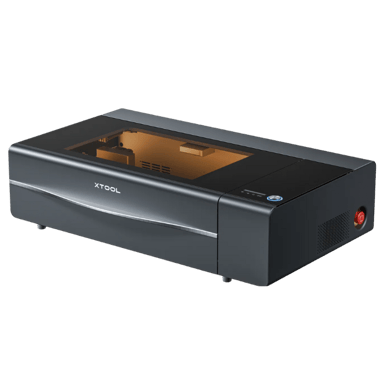
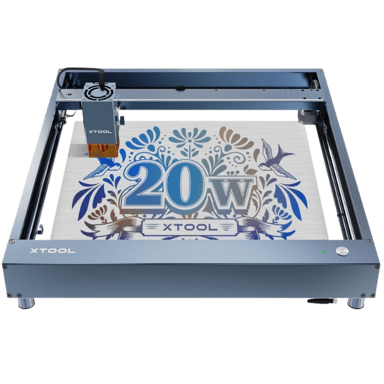
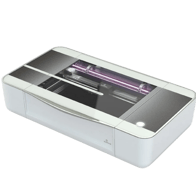
The xTool P2S is a relevant alternative to the Glowforge Pro for users seeking a professional-grade enclosed CO2 laser cutter with similar core functionalities. Both machines target professional use cases and provide an enclosed workspace with software control, making them practical choices for precision laser engraving and cutting tasks.
Both are enclosed CO2 laser cutters designed for professional applications.
Each supports high beam quality and Class 1 laser safety standards for reliable performance and user protection.
Both devices include magnetic clamping systems and honeycomb work surfaces to support a variety of materials.
They offer similar connectivity options, including USB and Wi-Fi firmware updates, alongside comparable safety and environmental controls.
While there are differences in some technical details such as laser spot size and cooling methods, the xTool P2S can effectively serve as a practical replacement for the Glowforge Pro in many professional settings.
Nerdy Bits & Must-Knows
Specs worth knowing…
xTool P2S
Product Type
What is the product type?
0
xTool P2S
0
Votes
Laser Cutter
Laser Engraver & Cutter in this range
Who knows?
(Help us out by suggesting one!)
Defines the category of the machine.
Don’t keep it to yourself — be the first to react and review the
Product Type on xTool P2S
◉ and help others decide!
xTool P2S
Intended Use Cases
What are the intended use cases?
0
xTool P2S
0
Votes
Professional
Laser Engraver & Cutter in this range
Who knows?
(Help us out by suggesting one!)
Describes user applications.
Don’t keep it to yourself — be the first to react and review the
Intended Use Cases on xTool P2S
◉ and help others decide!
xTool P2S
Control Method
What is the control method?
0
xTool P2S
0
Votes
Software
Laser Engraver & Cutter in this range
Who knows?
(Help us out by suggesting one!)
xTool P2S
The primary control method for the machine is through Software, which provides comprehensive tools for design, job setup, and monitoring. Additional control via mobile apps, offline options, or a touchscreen panel may also be available.
Defines how the user operates the machine.
Don’t keep it to yourself — be the first to react and review the
Control Method on xTool P2S
◉ and help others decide!
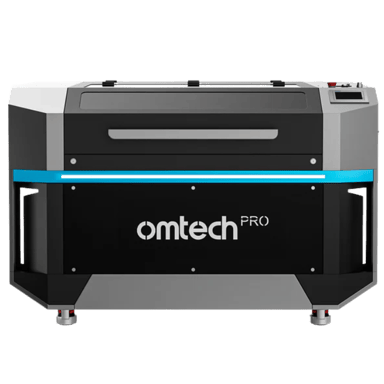
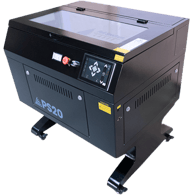
The OMTech Pro 2440 shares the core functionality of the Glowforge Pro as a CO2 laser engraver and cutter, making it a relevant alternative for similar use cases, especially where industrial or higher volume performance is required.
Both machines are CO2 laser engraver cutters designed for hobby, professional, and educational use.
Each features an enclosed frame style for safe and controlled operation.
Both support high beam quality lasers suitable for detailed engraving and cutting tasks.
The OMTech model includes additional control methods with offline and touchscreen options, providing broader usability in diverse environments.
While some differences in laser classification and software ecosystem exist, the OMTech Pro 2440 can realistically replace the Glowforge Pro in many practical applications.
Nerdy Bits & Must-Knows
Specs worth knowing…
OMTech Pro 2440
Product Type
What is the product type?
0
OMTech Pro 2440
0
Votes
Laser Engraver Cutter
Laser Engraver & Cutter in this range
Who knows?
(Help us out by suggesting one!)
Defines the category of the machine.
Don’t keep it to yourself — be the first to react and review the
Product Type on OMTech Pro 2440
◉ and help others decide!
OMTech Pro 2440
Intended Use Cases
What are the intended use cases?
0
OMTech Pro 2440
0
Votes
Hobby, Professional, Industrial, Education
Laser Engraver & Cutter in this range
Who knows?
(Help us out by suggesting one!)
OMTech Pro 2440
This laser engraver is suitable for a wide range of applications, including Hobby projects, Professional fabrication, Industrial prototyping, and Educational settings. Its versatility makes it a valuable tool across various sectors.
Describes user applications.
Don’t keep it to yourself — be the first to react and review the
Intended Use Cases on OMTech Pro 2440
◉ and help others decide!
OMTech Pro 2440
Control Method
What is the control method?
0
OMTech Pro 2440
0
Votes
Software, Offline, Touchscreen Panel
Laser Engraver & Cutter in this range
Who knows?
(Help us out by suggesting one!)
Defines how the user operates the machine.
Don’t keep it to yourself — be the first to react and review the
Control Method on OMTech Pro 2440
◉ and help others decide!
The Xtool P2 has been discontinued️.
Our community last shared an update on
December 18, 2025.
Why Consider This
What makes it stand out.
The Xtool P2 is a highly relevant alternative to the Glowforge Pro as a laser engraver and cutter. Both machines serve similar professional and educational use cases with CO2 laser technology and enclosed frames, making the Xtool P2 a practical replacement option for many users.
Both devices are CO2 laser engraver cutters intended for hobbyist, professional, and educational applications.
They support the same operating systems: Windows, macOS, and Linux, ensuring software compatibility.
Both use enclosed frame designs, which enhance safety and usability in professional settings.
The Xtool P2 offers a slightly smaller laser spot size and water cooling, potentially providing enhanced cutting/engraving precision and thermal management compared to the Glowforge Pro’s air cooling.
Overall, the Xtool P2 matches key functional and operational characteristics that make it a strong alternative to the Glowforge Pro.
Nerdy Bits & Must-Knows
Specs worth knowing…
Xtool P2
Product Type
What is the product type?
0
Xtool P2
0
Votes
Laser Engraver Cutter
Laser Engraver & Cutter in this range
Who knows?
(Help us out by suggesting one!)
Xtool P2
This device functions as a Laser Engraver Cutter, indicating its capability to both engrave intricate designs and cut through materials, offering versatile creative and industrial applications.
Defines the category of the machine.
Don’t keep it to yourself — be the first to react and review the
Product Type on Xtool P2
◉ and help others decide!
Xtool P2
Intended Use Cases
What are the intended use cases?
0
Xtool P2
0
Votes
Hobby, Professional, Education
Laser Engraver & Cutter in this range
Who knows?
(Help us out by suggesting one!)
Describes user applications.
Don’t keep it to yourself — be the first to react and review the
Intended Use Cases on Xtool P2
◉ and help others decide!
Xtool P2
Supported Operating Systems
Which operating systems are supported?
0
Xtool P2
0
Votes
Windows, macOS, Linux
Laser Engraver & Cutter in this range
Who knows?
(Help us out by suggesting one!)
Indicates OS compatibility for controlling software.
Don’t keep it to yourself — be the first to react and review the
Supported Operating Systems on Xtool P2
◉ and help others decide!
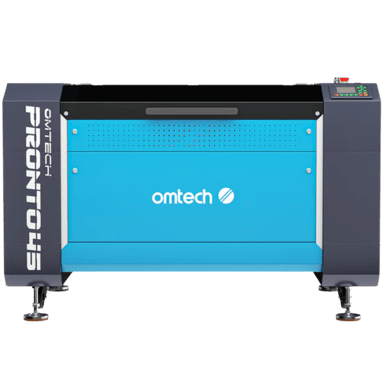
The OMTech Pronto 45 is a relevant alternative to the Glowforge Pro for users seeking a professional enclosed CO2 laser engraver and cutter. While both machines share core functionalities, there are differences in laser classification and intended usage scope that may affect specific applications.
Both products are enclosed CO2 laser engraver cutters suitable for professional environments.
They support Windows and macOS operating systems, ensuring good software compatibility.
Both utilize high beam quality lasers, but the comparison product has a Class 4 laser versus the Class 1 in Glowforge Pro, indicating different safety classifications and power levels.
The OMTech Pronto 45 offers additional control methods including touchscreen and offline operation, providing more operational flexibility.
Overall, the OMTech Pronto 45 can practically replace the Glowforge Pro in many professional use cases, especially where higher power and versatile control options are desired.
Nerdy Bits & Must-Knows
Specs worth knowing…
OMTech Pronto 45
Product Type
What is the product type?
0
OMTech Pronto 45
0
Votes
Laser Engraver Cutter
Laser Engraver & Cutter in this range
Who knows?
(Help us out by suggesting one!)
Defines the category of the machine.
Don’t keep it to yourself — be the first to react and review the
Product Type on OMTech Pronto 45
◉ and help others decide!
The Xtool D1 has been discontinued️.
Our community last shared an update on
December 18, 2025.
Why Consider This
What makes it stand out.
The Xtool D1 shares core functionalities with the Glowforge Pro as a laser engraver and cutter designed for hobby, professional, and educational use, making it a viable alternative in many use cases. However, differences in laser type, frame design, and connectivity features may impact performance and user experience depending on specific needs.
Both machines function as laser engraver cutters intended for similar user groups including hobbyists and professionals.
Operating system support is consistent, covering Windows, macOS, and Linux for seamless software compatibility.
Both support software control methods, but the Xtool D1 adds mobile app and offline operation, offering enhanced flexibility in control options.
The Glowforge Pro features a CO2 laser with a smaller laser spot size for finer detail, while the Xtool D1 uses a diode laser with a larger spot size, impacting engraving precision and cutting capability.
Glowforge Pro's enclosed frame design provides more safety and work environment control compared to the open frame of the Xtool D1.
Both support engraving and cutting across similar materials; however, the Glowforge Pro generally suits medium production volumes, while the Xtool D1 is more aligned with low production volume suitability.
Nerdy Bits & Must-Knows
Specs worth knowing…
Xtool D1
Product Type
What is the product type?
0
Xtool D1
0
Votes
Laser Engraver Cutter
Laser Engraver & Cutter in this range
Who knows?
(Help us out by suggesting one!)
Defines the category of the machine.
Don’t keep it to yourself — be the first to react and review the
Product Type on Xtool D1
◉ and help others decide!
Xtool D1
Intended Use Cases
What are the intended use cases?
0
Xtool D1
0
Votes
Hobby, Professional, Education
Laser Engraver & Cutter in this range
Who knows?
(Help us out by suggesting one!)
Xtool D1
This laser engraver is versatile, suitable for a range of applications including Hobby, Professional projects, and Educational settings.
Describes user applications.
Don’t keep it to yourself — be the first to react and review the
Intended Use Cases on Xtool D1
◉ and help others decide!
Xtool D1
Supported Operating Systems
Which operating systems are supported?
0
Xtool D1
0
Votes
Windows, macOS, Linux
Laser Engraver & Cutter in this range
Who knows?
(Help us out by suggesting one!)
Indicates OS compatibility for controlling software.
Don’t keep it to yourself — be the first to react and review the
Supported Operating Systems on Xtool D1
◉ and help others decide!
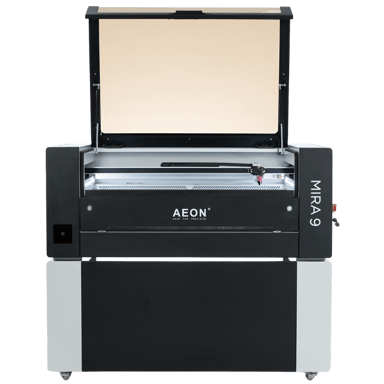
The Aeon Mira 9 is a relevant alternative to the Glowforge Pro for professional laser engraving and cutting, sharing many key features typical of CO2 laser engraver cutters designed for enclosed operation.
Both devices use CO2 lasers and are intended for professional use with enclosed frame designs, ensuring similar core functionality and safety.
They share high beam quality and compatible work surface types with honeycomb beds and magnetic clamps, supporting precise material handling.
Both support various material engravings and cuttings including wood, acrylic, leather, and more, covering typical use cases of laser engraver cutters.
The Mira 9 employs water cooling versus Glowforge’s air cooling and has Class 4 laser classification compared to Class 1, impacting safety handling but reflecting comparable industrial-grade laser technology.
Despite some differences in software control method and certification, the Aeon Mira 9 can practically function as a substitute for the Glowforge Pro in most professional laser engraving and cutting applications.
Nerdy Bits & Must-Knows
Specs worth knowing…
Aeon Mira 9
Product Type
What is the product type?
0
Aeon Mira 9
0
Votes
Laser Engraver Cutter
Laser Engraver & Cutter in this range
Who knows?
(Help us out by suggesting one!)
Defines the category of the machine.
Don’t keep it to yourself — be the first to react and review the
Product Type on Aeon Mira 9
◉ and help others decide!
Aeon Mira 9
Intended Use Cases
What are the intended use cases?
0
Aeon Mira 9
0
Votes
Professional
Laser Engraver & Cutter in this range
Who knows?
(Help us out by suggesting one!)
Describes user applications.
Don’t keep it to yourself — be the first to react and review the
Intended Use Cases on Aeon Mira 9
◉ and help others decide!
Aeon Mira 9
Frame Type
What is the frame type?
0
Aeon Mira 9
0
Votes
Enclosed
Laser Engraver & Cutter in this range
Who knows?
(Help us out by suggesting one!)
Describes structural design of the machine.
Don’t keep it to yourself — be the first to react and review the
Frame Type on Aeon Mira 9
◉ and help others decide!
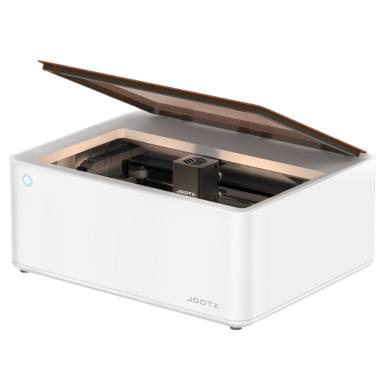
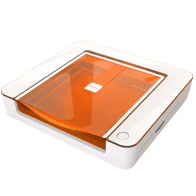
The xTool M1 is a relevant alternative to the Glowforge Pro for users seeking a versatile, enclosed laser engraver and cutter suitable for hobby, professional, and educational use. While the xTool M1 uses a diode laser compared to the Glowforge Pro's CO2 laser, it matches closely in core functionality and work environment features.
Both are laser engraver cutters designed for similar use cases including hobby, professional, and education.
Each machine features an enclosed frame ensuring a controlled work area for safety and cleanliness.
Both support Windows and macOS operating systems with software control methods; the xTool M1 additionally supports mobile app control.
Each device offers high beam quality with Class 1 laser classification and air cooling systems for safe operation.
Given these similarities, the xTool M1 can effectively replace the Glowforge Pro for many users, though differences in laser type and connectivity options may influence specific application choices.
Nerdy Bits & Must-Knows
Specs worth knowing…
xTool M1
Product Type
What is the product type?
0
xTool M1
0
Votes
Laser Engraver Cutter
Laser Engraver & Cutter in this range
Who knows?
(Help us out by suggesting one!)
Defines the category of the machine.
Don’t keep it to yourself — be the first to react and review the
Product Type on xTool M1
◉ and help others decide!
xTool M1
Intended Use Cases
What are the intended use cases?
0
xTool M1
0
Votes
Hobby, Professional, Education
Laser Engraver & Cutter in this range
Who knows?
(Help us out by suggesting one!)
xTool M1
This machine is suitable for a wide range of applications, including Hobbyist projects, Professional use, and Educational settings, highlighting its versatility.
Describes user applications.
Don’t keep it to yourself — be the first to react and review the
Intended Use Cases on xTool M1
◉ and help others decide!
xTool M1
Frame Type
What is the frame type?
0
xTool M1
0
Votes
Enclosed
Laser Engraver & Cutter in this range
Who knows?
(Help us out by suggesting one!)
Describes structural design of the machine.
Don’t keep it to yourself — be the first to react and review the
Frame Type on xTool M1
◉ and help others decide!
Worth a Second Look
Didn't make the cut this time, but still solid options.
Stuff You Were Too Shy to Ask
But we answered it anyway.
How much laser power do I really need?
Laser power is measured in watts, and it directly affects cutting thickness and job speed. Entry desktop machines often start around 40W, while many alternatives step up to 50W or 55W CO2 tubes. In practical terms, higher wattage can reduce the number of passes required and may cut thicker materials, sometimes up to 12 mm or even 20 mm in controlled conditions. However, power alone is not everything, as lens quality, airflow, and motion systems also influence results. Always match wattage to your typical materials rather than choosing the highest number by default.
What work area size is considered practical?
Work area is usually listed in millimeters or inches, such as 600 x 308 mm or 600 x 375 mm, and determines the maximum flat sheet you can process in one setup. Larger beds support signage, panels, and batch layouts, while compact formats save space in home workshops. Some systems include passthrough slots for longer materials, but these may require careful alignment across sections. If you regularly work with oversized boards or production batches, prioritizing a larger fixed bed can simplify workflow and reduce setup errors.
Does offline software support really matter?
Offline control can be important for reliability and workflow stability. Some machines rely on cloud-based platforms, meaning they require a continuous internet connection to operate. Others support locally installed programs such as LightBurn, allowing full use without web access. From a practical standpoint, offline compatibility can reduce downtime risks if connectivity drops and may provide deeper access to speed and power settings. When comparing options, review whether advanced features are tied to subscriptions or whether core functions remain available without recurring software fees.
How fast should engraving and cutting be?
Manufacturers often publish maximum engraving speeds, sometimes reaching 600 mm/s for certain desktop CO2 systems. Cutting speeds are usually lower and depend on material thickness and power settings. These figures represent peak values under ideal conditions, so real-world results can vary. Faster motion systems can shorten production time, but only if paired with adequate laser power and cooling. When evaluating alternatives, compare both speed and wattage together, as a high speed rating alone does not guarantee efficient cutting performance.
What safety features should I look for?
Safety should include an enclosed chassis, interlock switches, and effective ventilation. Fully enclosed systems help contain fumes and reduce exposure to reflected laser light. Some machines integrate filtration units or connect to external exhaust systems to manage emissions from materials like wood and acrylic. Noise levels may also matter, as some enclosed units operate around 70 dB during cutting. Look for features such as emergency stop buttons, flame detection, and water sensors, as these safeguards can help reduce risk during extended operation.
How important is Z depth or working height?
Z depth refers to the vertical clearance available for thicker materials or objects. Some compact units provide around 2 inches of working height, while others offer greater clearance for thicker stock or rotary accessories. If you plan to engrave tumblers or raised objects, additional vertical space may be necessary. Keep in mind that trays or honeycomb beds can reduce usable height. Reviewing the stated maximum thickness and confirming how accessories affect clearance helps avoid unexpected fit limitations.
Which specs affect long term reliability most?
Long term reliability is influenced by cooling systems, motion components, and warranty coverage. CO2 tubes rely on stable cooling, often through water pumps or chillers, to maintain consistent performance. Linear rails and metal chassis construction may improve rigidity and alignment over time. Warranty length, such as 12 to 24 months, can also signal manufacturer confidence. When comparing alternatives to the Glowforge Pro , consider not only power and speed, but also maintenance requirements and available technical support channels.
Big Brain Stuff, Summed Up
Because who reads everything, right?
When comparing a laser cutter similar to Glowforge Pro, the most meaningful differences tend to show up in measurable areas. Moving from a 45W CO2 tube to 50W or 55W systems can increase cutting headroom, while published engraving speeds up to 600 mm/s may reduce production time when paired with adequate cooling and motion control. Larger bed sizes, such as 600 x 308 mm or 600 x 375 mm, can also improve layout efficiency for batch jobs. At the same time, factors like working height, often around 2 inches on compact units, directly affect what materials and objects you can realistically process.
Reliability and workflow stability matter just as much as raw output. Machines that support offline software and local control may reduce downtime risks compared to cloud-dependent platforms, especially in production environments. Warranty coverage, often ranging from 12 to 24 months, along with cooling systems and metal chassis construction, can indicate long-term durability. Features such as rotary compatibility, ventilation, and filtration help align a laser engraver & cutter with specific use cases rather than general assumptions.
Ultimately, Glowforge Pro remains a capable reference point, but alternatives may offer advantages in power range, workspace, or software flexibility depending on your priorities. The right choice comes down to carefully comparing power output, work area, Z clearance, and support terms against your actual materials and workload. Clear specifications, not marketing claims, should guide your final decision.